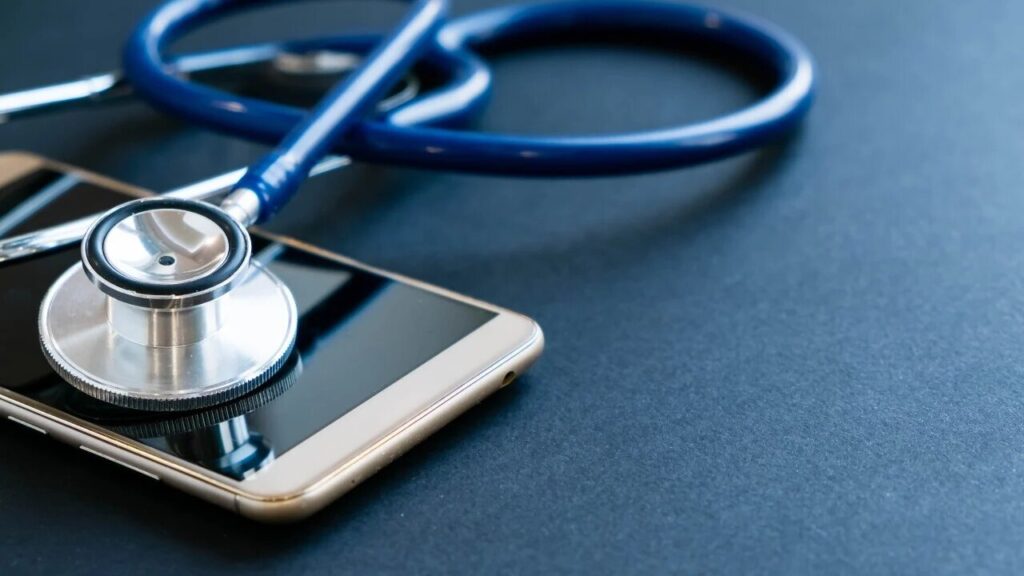
Choosing the right diagnostic tool for smartphones has become more important than ever, especially as mobile devices grow more advanced and complex. Technicians, repair shops, refurbishers, and even regular users rely on diagnostic tools to identify issues, improve device performance, and ensure seamless repairs. With hundreds of options available, finding the best phone diagnostic software can feel overwhelming. From basic consumer apps to advanced platforms like Phone Clinix, understanding the right features and deciding what fits your needs is essential. This guide explains how to choose the right diagnostic solution based on accuracy, functionality, compatibility, and overall value.
Why Accurate Diagnostics Matter
In the mobile repair industry, accuracy is everything. When a device has issues—whether battery drainage, touchscreen malfunctions, or sensor failures—accurate diagnostics save time, money, and frustration. Technicians depend on reliable tools to make confident repair decisions, while consumers use diagnostics to determine whether a device needs professional help.
An effective diagnostic system helps in:
-
Reducing repair time
-
Preventing unnecessary part replacements
-
Enhancing customer trust
-
Improving efficiency for technicians and repair centers
-
Increasing the resale value of refurbished devices
This makes choosing the right phone diagnostic software a critical step for anyone dealing with smartphones regularly.
Types of Phone Diagnostic Software
Before choosing a tool, it’s important to understand the two major categories of diagnostic solutions available today.
Consumer-Level Diagnostic Tools
These tools are designed for everyday smartphone users who want quick and simple tests. They typically provide:
-
Battery health reports
-
Touchscreen and display testing
-
Sensor diagnostics
-
Camera and audio checks
-
Connectivity tests for Wi-Fi, Bluetooth, and mobile networks
Consumer apps are ideal for basic troubleshooting but lack the depth needed for advanced repair decisions.
Professional Diagnostic Software
Professional tools are built for technicians and businesses. Platforms like Phone Clinix offer deeper hardware-level assessments, automated test workflows, and comprehensive reporting. These tools are designed to diagnose complex issues, support large-scale device testing, and improve repair accuracy.
Professional diagnostic tools are essential for:
-
Mobile repair shops
-
Refurbishing centers
-
Technicians performing board-level repairs
-
Enterprises managing device fleets
Choosing the right category depends on your specific needs, budget, and operational goals.
Key Features to Look for in Diagnostic Software
Not all diagnostic tools are created equal. Here are the most important features to evaluate when selecting the best phone diagnostic software for your requirements.
1. Comprehensive Test Coverage
Good diagnostic software should cover all major hardware and software components of a smartphone, including:
-
Battery and charging system
-
Camera modules
-
Touchscreen and display
-
Sensors (gyroscope, proximity, accelerometer)
-
Speakers and microphones
-
Network and connectivity
-
Storage and memory
-
CPU and system performance
Professional solutions like Phone Clinix typically offer more extensive testing capabilities, ensuring no issues go undetected.
2. Accuracy and Reliability
The effectiveness of diagnostic results determines how confidently a technician can proceed with repairs. You should choose software known for accurate assessments and reliable performance across different brands and models.
Professional-grade platforms use advanced algorithms, generating precise results that allow technicians to pinpoint underlying problems instead of just symptoms.
3. User-Friendly Interface
Even the most advanced tool must be easy to use. A well-designed diagnostic platform should offer:
-
Simple navigation
-
Clear test instructions
-
Intuitive dashboards
-
Easy-to-understand reports
Tools like Phone Clinix excel in providing a user-friendly experience without compromising on depth or accuracy.
4. Multi-Brand and Multi-Device Support
The right diagnostic tool should support a wide range of devices, including:
-
Android phones
-
iPhones
-
Tablets
-
Newer phone models
-
Older and refurbished devices
This is especially important for repair shops that deal with diverse devices daily. Software with wide compatibility ensures smoother operations and reduces the need for multiple tools.
5. Customizable and Automated Test Workflows
Advanced diagnostic platforms allow technicians to create workflows that match their business operations. Automation features help speed up testing for multiple devices, making the process more efficient.
Phone Clinix, for example, provides customizable and automated workflows, enabling consistent testing across large batches of devices—especially useful for refurbishers and wholesalers.
6. Reporting and Documentation
Clear and detailed reports are essential in professional environments. Reports help:
-
Show customers what is wrong with their devices
-
Provide transparency and trust
-
Document pre- and post-repair conditions
-
Maintain device histories
Software with high-quality reporting systems ensures smooth communication between technicians and clients.
7. Cloud Sync and Device Management
Many modern diagnostic platforms offer cloud-based features, allowing users to:
-
Store reports securely
-
Access data from multiple devices
-
Track repair histories
-
Manage multiple staff accounts
Cloud capabilities help repair shops improve organization and maintain accurate customer records.
8. Integration With Shop Management Systems
Some diagnostic platforms integrate with POS or customer management systems. This is beneficial for businesses that want automated workflows and centralized data management.
Although not all tools offer this, solutions like Phone Clinix provide built-in features or easy integrations that enhance operational efficiency.
9. Cost and Subscription Options
Budget plays an important role when selecting diagnostic tools. Consumer-level apps are often free or low-cost, while professional software is subscription-based due to advanced features.
When comparing prices, consider:
-
Features included
-
Device limits
-
Cloud storage availability
-
Customer support
-
Update frequency
Professional software offers better long-term value for repair shops due to its accuracy, reporting, and workflow automation.
Why Phone Clinix Is a Top Choice
Among professional diagnostic solutions, Phone Clinix stands out as one of the most reliable tools available today. It is specifically designed for technicians and mobile repair businesses, providing deep insights and efficient workflows.
Key Strengths of Phone Clinix:
-
Complete hardware and software testing
-
Automated and customizable workflows
-
Wide compatibility with Android and iOS devices
-
Accurate and fast diagnostics
-
User-friendly interface for beginners and experts
-
Detailed reporting for customers
-
Cloud-based device management
-
Designed to boost productivity in repair shops
With features tailored for professional use, Phone Clinix simplifies diagnostics and improves repair accuracy, making it a trusted solution in the mobile repair industry.
Choosing the Right Software Based on Your Needs
For Technicians and Repair Shops
A professional tool like Phone Clinix is the best choice. It provides accuracy, efficiency, and features that support daily repair operations.
For Refurbishers and Bulk Device Sellers
Choose software with automation, mass diagnostic capabilities, and high reliability. Professional-level tools ensure consistent testing results for large numbers of devices.
For General Consumers
Basic diagnostic apps may be sufficient if you only need quick checks on battery or sensor performance. However, consumer apps lack the depth required for serious repair decisions.
Common Mistakes to Avoid When Choosing Diagnostic Software
-
Choosing a free tool lacking advanced features needed for professional-level repairs
-
Ignoring device compatibility and limiting yourself to specific brands
-
Selecting software with poor support or infrequent updates
-
Using unreliable apps that provide inaccurate results
-
Choosing tools without reporting capabilities if you run a repair shop
Avoiding these mistakes ensures you invest in a tool that meets your long-term needs.
Final Thoughts
Choosing the right phone diagnostic software depends on the purpose, features, budget, and accuracy you require. While consumer apps are helpful for quick testing, professional tools like Phone Clinix deliver deeper insights, reliable diagnostics, and productivity features essential for technicians and repair shops.
If you need accurate results, comprehensive testing, and efficient workflows, a professional solution is the best investment. Tools like Phone Clinix not only help diagnose phones faster but also improve customer satisfaction, repair accuracy, and overall business performance.
By understanding what features matter most and evaluating your specific needs, you can confidently choose the right diagnostic tool and ensure every device gets tested with precision and reliability.