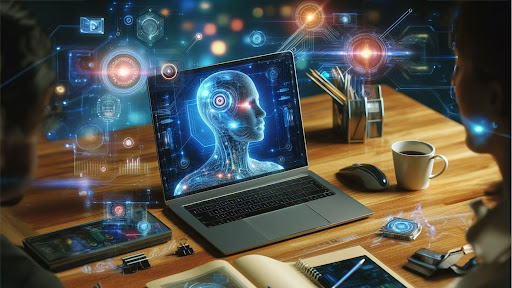
Your computer works harder than you think. Right now, your device runs dozens of background processes that keep everything smooth and secure. You never click a button or type a command for these tasks. AI-powered systems handle them automatically. These intelligent processes monitor threats and optimize performance while you browse or work.
Modern AI computers act like tireless assistants that never sleep. They predict problems before they happen and fix issues in milliseconds. You might wonder what exactly happens behind your screen. The answer reveals a complex world of automated decisions and instant responses.
Understanding these hidden operations shows how far computer intelligence has advanced. Your system does more in one second than you could manually accomplish in hours.
1. Automatic Security Threat Detection and Response
Your computer scans for dangers every single moment. AI algorithms analyze incoming data packets and compare them against known threat patterns. The system blocks suspicious files before they reach your folders. Modern AI PCs like an Aura computer respond to threats in real time, neutralizing risks before users even notice a disruption.
These systems integrate cutting-edge antivirus software powered by machine learning to detect emerging threats. Instead of merely detecting signatures, the artificial intelligence analyzes the activity of files. It watches how programs interact with your system and flags unusual activities instantly.
- Security systems learn from billions of global threats daily.
- Your computer benefits from this collective intelligence without you lifting a finger.
- The protection updates itself and adapts to emerging attack methods.
These automated defenses work faster than any human could respond. They quarantine infected files and alert you only after handling the immediate danger. Your system creates backup points and rolls back changes if something slips through.
2. Resource Allocation and Performance Optimization
Your device constantly shuffles computing power between running applications. AI determines which programs need more memory and which can wait. This dynamic allocation happens thousands of times per second.
The Aura computer tracks your usage patterns and predicts your next moves. It preloads frequently used applications into memory before you click them. Your most common tasks launch faster because the AI has prepared resources in advance.
Memory Management Efficiency
Background processes clear unused data from RAM automatically. The computer identifies which programs consume too much power and throttles them. Battery life extends because intelligent systems reduce unnecessary processing.
Your processor cores divide work based on AI calculations about efficiency. Heavy tasks get more computing threads while simple operations use minimal resources. The balance shifts constantly as you switch between activities.
As per a report, the use of AI-based computers is skyrocketing. The total market share is expected to surpass $2551.8 billion by 2035.
3. Software Updates and Patch Management
Your Operating System will download security patches while you are sleeping or being proactive. AI schedulers pick optimal times when your internet connection sits idle. Updates are installed during low-activity periods to avoid disrupting your workflow.
The system tests compatibility before applying updates. It creates restore points automatically in case something breaks. Critical security fixes get priority over feature updates in the installation queue.
- Version control algorithms decide which software needs updating first.
- Your most vulnerable applications receive patches before others.
- The AI considers both security risks and stability factors when scheduling updates.
4. Network Traffic Management and Optimization
Your AI computer negotiates with routers to find the fastest data paths. AI algorithms analyze network congestion and switch routes automatically. Packets take different journeys to reach their destinations most efficiently.
The system buffers streaming content based on connection speed predictions. It downloads video segments ahead of your viewing position. Playback stays smooth because the AI calculated the bandwidth availability correctly.
Quality of service protocols prioritize time-sensitive data. Video calls get bandwidth before file downloads without your intervention. The computer makes these decisions in microseconds based on traffic analysis.
5. Error Detection and Automatic Recovery
Storage systems constantly verify data integrity using checksums. The AI detects corrupted bits and retrieves clean copies from redundant locations. Your files stay intact because background processes fix problems silently.
- When applications crash, the system captures diagnostic information automatically.
- It analyzes crash patterns and applies known fixes without bothering you.
- Many freezes resolve themselves before you notice anything wrong.
Drive health monitoring tools predict hardware failures weeks in advance. The AI examines read/write speeds and error rates to forecast problems. You have backups to back up data before a component actually fails.
6. Power Consumption and Battery Optimization
Intelligent systems dim your screen when you look away. Sensors detect your absence and reduce power to idle components. The computer enters low-power states between your keyboard strokes.
AI learns your charging habits and adjusts battery care accordingly. It slows charging speed near full capacity to extend battery lifespan. The system balances performance with energy conservation based on your typical usage.
- Background apps get suspended when they drain the battery unnecessarily.
- The AI identifies which processes provide value and which waste power.
- Your device lasts longer between charges because of these constant micro-adjustments.
7. System Diagnostics and Health Monitoring
Your computer runs continuous self-checks on hardware components. AI interprets sensor data from dozens of monitoring points. It detects failing parts before they cause system crashes.
Disk fragmentation gets corrected automatically during idle time. The system reorganizes files for faster access without your knowledge. Performance stays optimal because maintenance happens invisibly in the background.
Registry cleaning and temporary file removal occur on set schedules. The AI determines which cached data to keep and which to purge. Your system runs cleaner than it would with manual maintenance.
Conclusion
Your AI computer handles hundreds of automated decisions while you work and play. These AI-driven processes protect your data and optimize every interaction. The partnership between human users and intelligent systems grows stronger each day.
You focus on creative tasks and important decisions. Meanwhile, your device manages the technical complexity behind the scenes. This division of labor represents the true power of modern computing.
The next time you use your computer, remember the tireless work happening beneath the surface. AI systems guard your security and smooth your experience without any commands from you.