Data speed matters for every business today. Teams move files. Developers run apps. Designers edit large videos. All these tasks need fast storage.
Recent reports show global data may reach 181 zettabytes by 2025, according to the International Data Corporation.
This huge growth pushes companies to choose faster storage systems. Many IT teams compare direct-attached storage and network-attached storage. Both store large files. Both help servers and workstations manage data. Yet their speed works in different ways. DAS connects straight to one computer.
Network Attached Storage connects through a network. This difference affects speed. It also affects how teams share files and run workloads. Many people ask one simple question. Which storage gives better speed?
This guide explains the answer in simple terms so anyone can understand the difference.
What Is Direct-Attached Storage (DAS)
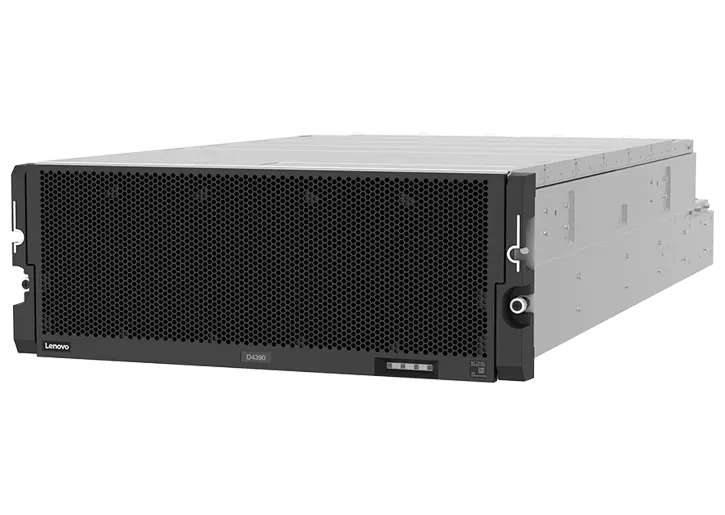
DAS connects straight to a computer or server. The storage device uses cables such as USB, SATA, or SAS. The system does not send data through a network. This direct link helps data move very fast. When a server needs a file, it talks directly to the storage device. The path stays short. This design helps improve speed for many tasks.
Key features of DAS
- Direct connection to one computer.
- Very low data delay.
- High read and write speed.
- Simple setup for local systems.
- Strong performance for large workloads.
Direct-attached storage works well when one system handles large files. Video editing systems often use this storage type. Database servers also benefit from this fast local storage.
What Is NAS Storage
Network Attached Storage works in a different way. This storage connects to a network instead of one computer. Many devices can access the same storage system. A NAS device acts like a file server. It stores files and shares them across the network. Teams can open files from many computers.
Key features of NAS storage
- Connects through a local network.
- Many users access the same data.
- Easy file sharing for teams.
- Central place for backups.
- Remote access in many setups.
NAS helps offices where many users need the same files. It supports collaboration. Yet network traffic can affect speed during heavy workloads.
Speed Comparison Between DAS and NAS
Speed remains the biggest factor in this comparison. DAS usually moves data faster. The system sends data straight to the computer. The data path stays short and simple. NAS systems send data through the network. The network adds extra steps. Each step can slow the transfer speed.
DAS speed advantages
Direct-attached storage often delivers very high transfer rates. Many systems reach several gigabytes per second. This design helps when systems process huge files. Key reasons for faster speed include
- Direct cable connection.
- No network congestion.
- Lower latency during file access.
- Faster response for heavy workloads.
NAS speed advantages
NAS can still offer good speed in many offices. Modern networks use Fast Ethernet technology. Yet the network always adds a small delay. This delay reduces speed compared with direct connections.
Speed benefits include
- Central file access for many users.
- Faster backups for multiple computers.
- Efficient data sharing across teams.
DAS vs NAS Speed Comparison Table
| Features | DAS | NAS |
| Connection Type | Direct cable connection to the computer | Connected through the network |
| Speed | Very fast local speed | Depends on network speed |
| Latency | Very low latency | Higher latency due to the network |
| Best Use Cases | Large local workloads | Team file sharing |
| Data Access | One main system | Multiple users |
| Performance | High-performance tasks | Collaboration tasks |
This table shows how design affects speed. DAS focuses on performance. NAS focuses on sharing.
When DAS Storage Wins for Speed
Direct-attached storage becomes the best option for tasks that demand fast performance. Systems that process huge files benefit from this storage design. These systems need quick data access. DAS removes network delays. This improves speed.
Common use cases
- Video editing workstations.
- Database servers
- High-performance computing systems.
- Backup servers with large data loads.
- Data processing applications.
When NAS Works Better for Teams
NAS may not match the speed of DAS. Yet it offers strong benefits for teamwork. Companies with many users often choose NAS. Speed stays good enough for daily tasks.
Common NAS advantages
- Easy file sharing between users.
- Central storage for office data.
- Access from multiple devices.
- Simple backup for many computers.
- Lower management effort for teams.
Why network speed matters
NAS performance depends on network technology. Faster networks improve storage speed. Modern 10 Gigabit networks help NAS perform much better. Important network factors include
- Ethernet speed
- Network switches
- Traffic from other devices.
- Distance between systems.
Choosing the Right Storage for Your Needs
Every organization works with different workloads. Some teams need raw performance. Other teams need shared access.
- DAS works best when speed remains the top priority. Local systems benefit from its fast data transfers.
- NAS works best when teams need shared storage. Offices with many users often rely on NAS systems.
Many modern IT environments use both solutions. Servers may use DAS storage for performance. Teams may use NAS for collaboration. This hybrid approach balances speed and accessibility.
Conclusion
Storage speed plays a major role in modern computing. Applications process large data sets every day. DAS and NAS both help manage this growing data demand. Yet their designs serve different goals.
DAS storage connects directly to a computer. This direct link reduces delay and improves speed. Systems that handle large workloads gain the most benefit.
NAS connects through a network. This design supports collaboration and shared access. Teams work together more easily with centralized storage.
When speed becomes the top priority, direct-attached storage usually wins. When teamwork and shared access matter more, NAS becomes the better option. Understanding these differences helps businesses choose the right storage system for their workloads and future growth.