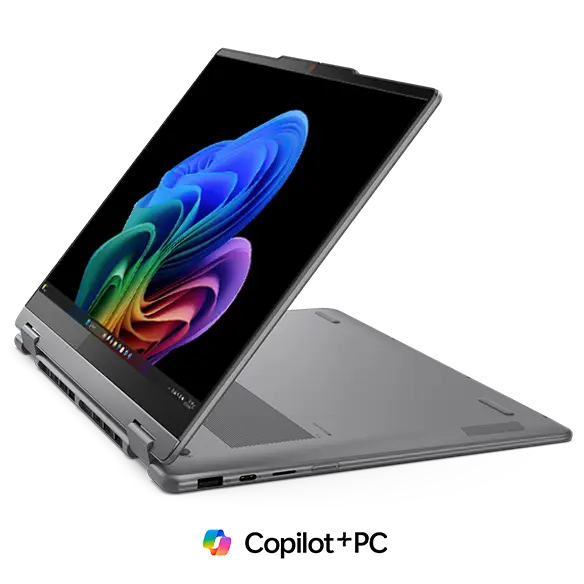
AI computers keep growing stronger every year, and they now shape how people learn, work, and communicate.
A recent report from Statista shows that the global AI market will exceed 300 billion dollars by 2026, indicating rapid adoption and high user trust in these systems.
This growth shows that people now expect quick and smart responses from every device they use. They also want machines that understand voice, touch, movement, text, and facial signals in one smooth flow.
AI computers address this need with new engines that run on the device with low latency and high accuracy. Many users also explore devices like the Aura computer because they seek local processing speed and strong multimodal features.
Today, we’ll study how AI computers translate multimodal signals in real time.
1. AI Reads Voice Signals With Fast Recognition and On-Device Processing
AI computers take voice signals and turn them into actions with strong on-device engines. The system listens for patterns in tone speed and sound shape. Then it uses real-time models that run locally to give clear instructions without waiting for cloud servers.
This lowers delay and raises trust because the voice stays inside the device. Young learners and adults enjoy this because the system gives results right away.
An Aura computer uses local inference layers that handle voice input with stable speed. The system splits each spoken phrase into tiny parts and then sends them through neural blocks. Each block compares the sound with trained speech groups.
How Voice Matching Works Inside the System
The device uses sound filters that catch noise levels. Then the model checks the sound shape. After that, it aligns the shape with stored patterns. The process builds a smooth path from input to action. Users feel clear control because the voice chain stays simple and quick.
Benefits of advanced voice reading
- High accuracy in mixed noise.
- Low delay due to local processing.
- Strong support for young learners.
- Clear results for work or study.
2. AI Tracks Hand and Body Movement With Smart Sensor Fusion
AI computers use advanced sensors to follow hand and body movement. The system reads angles, speed, and direction. Then it links all points to understand the user’s intent. Motion signals help with the wave, swipe, lift, or rotate. Kids find this fun because the device responds fast. Adults find it helpful because it makes tasks easier.
Why Movement Tracking Feels Easy for People
The device learns common motion paths from many groups. It checks how hands rise, shift, or turn. Then it produces the correct output in a fast, simple way. This keeps the experience open and welcoming for all ages.
Strong points of motion tracking
- Clear gesture reading.
- Smooth action output.
- Helpful for creative tasks.
- Good for learning tools.
3. AI Understands Text Input With High Accuracy and Smart Local Models
Text plays a big role in work and school. AI computers read text and understand user intent with fast engines. The system looks at each word and checks the order. It studies the meaning and gives results that help the user move forward. This supports students writers teachers and workers who need quick answers.
The technical part grows stronger when the device uses local language models. These models scan the text in several layers. Each layer checks rules and meaning. An Aura computer uses this approach to give clear and grounded results. The device processes each line with stable memory blocks that update meaning in real time.
Ways text reading helps users
- Fast guidance in writing tasks.
- Accurate meaning checks.
- Better focus during long work.
- Helpful support for young learners.
4. AI Reads Facial Expressions for Better Human-Centered Interaction
AI computers use vision engines to understand facial signals. They track eyes, lips, and head tilt. These signals help the device support the user with soft adjustments in light layout or timing. A person can look confused or focused, and the device will respond with small helpful changes.
The system uses face points to map tiny movements. These points help the model read mood and comfort. It checks the eyes for strain and checks the head for focus. Then it adjusts settings that support the user in real time.
The user benefits from facial reading
- Better focus during long hours.
- Support during tough tasks.
- More relaxed experiences.
- Great fit for younger users.
5. AI Uses Touch Signals for Instant Reactions With High-Precision Layers
Touch stays a key input for kids and adults. AI computers read touch signals with pressure and speed levels. They study how the finger lands and how long it stays on the surface. Then they respond with fast and stable actions. This helps with learning apps, drawing tools, games, work tasks, and creative projects.
An Aura computer uses technical touch stacks that break each touch into zones. The system checks the zone strength and touch length. Then it measures speed with small sensor pulses. The model reads all data at once and sends the correct output without delay. This design helps people work with high control and smooth flow.
Touch signal types the system reads
- Light tap for quick moves.
- Long-press for deeper tools.
- Swift swipe for fast shifts.
- Drag for detailed tasks.
Conclusion
AI computers now understand many signals at the same time and they keep growing stronger every year. Voice movement text touch and facial reading come together to form a fast and friendly system. Each part of the process works in real time and gives users support in schoolwork or daily life.
A future with multimodal AI feels bright because every new feature makes computers act more aware and more helpful. These devices now stand closer to people and offer steady guidance with clear results. Users of all ages can learn create and grow with tools that stay simple strong and easy to understand.