You took a great photo. The lighting is right, the angle works, and you actually like the way you look in it. There’s just one problem. You weren’t wearing any makeup, or the makeup you had on didn’t quite translate on camera. A few years ago, your only real option was to open some heavy desktop program and spend half an hour painting on digital lipstick. Now? You don’t even need to download anything.
Browser-based tools have made it easy to apply photo makeup online, straight from your phone or laptop, without eating up your storage or creating yet another account. And the results are a lot better than you might expect.
Nobody Wants To Download Another App
Between social media, messaging, banking, and the fifteen other apps fighting for space on your phone, storage is a real issue. Especially if you take a lot of photos and videos. That’s why browser-based tools have exploded in the last couple of years. You open a tab, upload your photo, and start editing. No installation, no sign-up screen, no waiting for an update. You can be done in under a minute and move on with your day.
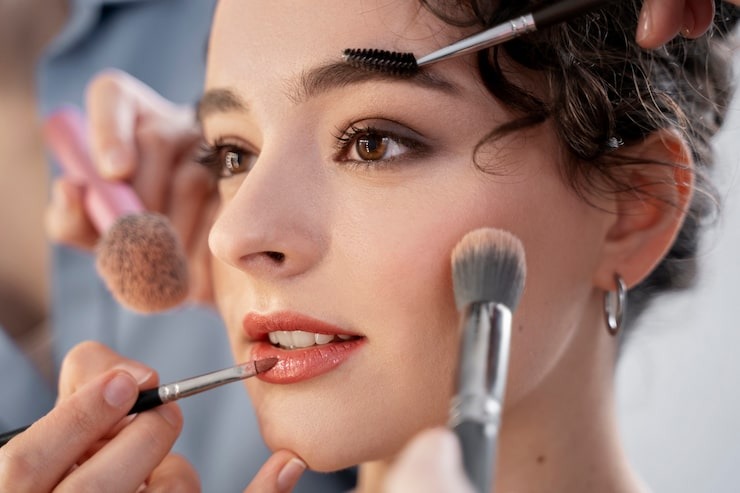
A browser-based online makeup editor takes that convenience further. Instead of slapping a generic filter over your photo, these tools let you apply specific effects like lipstick, blush, eyeshadow, and foundation with real precision. The tech behind them uses facial detection to map your features, so the makeup actually lands where it should.
What You Can Actually Do
If you haven’t tried applying photo makeup online recently, you might be surprised by how much is possible now. Most AI-powered tools let you do everything from subtle skin smoothing to full glam. You can test a bold red lip, try out a smoky eye, adjust your foundation shade, whiten your teeth, or even add blush and contour, all from a browser window. Some tools also let you save multiple versions of the same photo so you can compare looks side by side.
The best part is the flexibility. Unlike a one-size-fits-all filter, a good online makeup editor lets you tweak each element on its own. Want more blush but less eyeshadow? Done. Want to try something totally different from your usual style? Go for it. No commitment, no product to buy, and no cleanup.
How To Keep It Looking Real
The biggest concern people have with digital makeup is that it’ll look obviously fake. That’s a fair worry. Early tools weren’t great. But the technology has caught up. Today’s tools use AI to read the lighting, shadows, and contours of your face so the virtual makeup blends naturally.
A few quick tips to get better results:
- Start light. Subtle edits almost always look better than going all in right away.
- Match your makeup tones to the lighting in the photo. Warm lighting pairs well with warm lip and cheek colors.
- Layer one effect at a time instead of stacking everything at once.
- Zoom in to check the details before saving.
When you apply photo makeup online with a little patience, the results can be hard to tell apart from the real thing.
When It Actually Comes In Handy
There are a lot of everyday moments where this is useful. Maybe you’re updating your profile picture and want a polished look without doing a full face just for one shot. Maybe you took a great photo at a party, but your lipstick had faded by then. Or maybe you’re a content creator and need to match your look across a set of photos without reshooting everything. It’s also helpful when you’re putting together a dating profile or just want your Instagram grid to feel a little more cohesive.
It’s also a great way to test new styles before buying anything. Curious about how you’d look in a berry lip or a bold brow? Using an online makeup editor is a low-risk way to find out. No trip to the store, no returns, no regrets. Just a quick edit in your browser and an honest look at whether it works for you.