
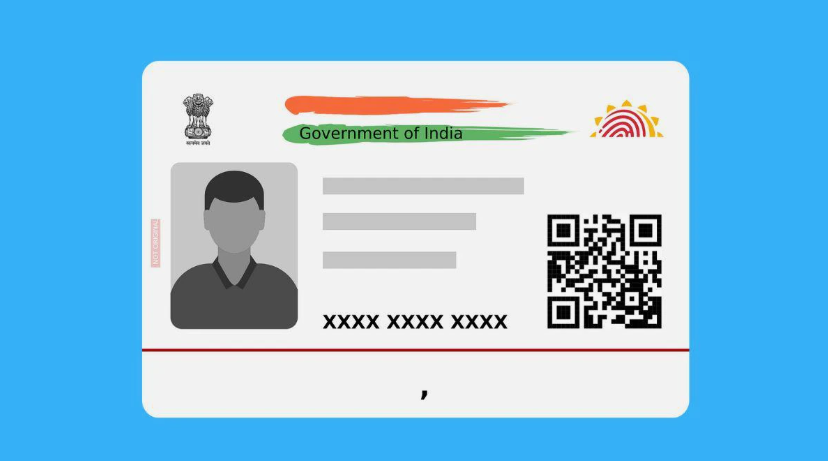
What is an Aadhar Card?
Before diving into the downloading process, it’s important to understand what an Aadhar card is. The Aadhar card is a unique identification number issued by the Unique Identification Authority of India (UIDAI). For users looking for Aadhar Card Download Online, understanding the purpose and importance of this document is essential. It contains a 12-digit number which is linked to your biometric and demographic data. The Aadhar number serves as a vital identity verifier for various services like banking, mobile connectivity, and government subsidies.
Why Download Your Aadhar Card Online?
Downloading your Aadhar card online offers several benefits:
Convenience
Access your Aadhar card from home without venturing out to a physical center.
Speed
The entire process can be completed in under five minutes.
24/7 Access
You can download your Aadhar card at any time that suits you.
Environmentally Friendly
An online download saves paper, helping to reduce environmental impact.
Prerequisites for Downloading Your Aadhar Card Online
Before you start the download process, ensure you have the following:
Registered Mobile Number
The mobile number linked to your Aadhar must be accessible as OTP verification is required.
Enrollment ID or Aadhar Number
You need either your 12-digit Aadhar number or, if you haven’t received your number yet, your Enrollment ID.
Step-by-Step Guide to Download Aadhar Card Online
Step 1: Visit the Official UIDAI Website
Open your preferred web browser and navigate to the official UIDAI website at uidai.gov.in. It’s vital to ensure you’re on the official site to avoid any fraudulent activities.
Step 2: Go to the ‘Download Aadhar’ Section
On the homepage, look for the ‘Download Aadhar’ option. This is usually located under the ‘Aadhar Services’ tab. Click on ‘Download Aadhar’ to proceed.
Step 3: Enter Your Details
You will be asked to fill in your details:
Aadhar Number
or
Enrollment ID
Full Name
Pin/Zip Code
Captcha Verification
Make sure that the details you provide are accurate.
Step 4: Request an OTP
Once you fill in the information, hit the ‘Send OTP’ button. You will receive a One-Time Password (OTP) on your registered mobile number.
Step 5: Input the OTP
After receiving the OTP, enter it in the designated field. Click on ‘Verify and Download’.
Step 6: Download Your Aadhar Card
You will be redirected to a page where you can download your Aadhar card in PDF format. Make sure to note down the password to open this PDF. Typically, the password would be the first four letters of your name followed by your birth year.
Step 7: Save the PDF
Save the PDF file to your device. You can print this document later if needed.
Changing Your Aadhar Card Date of Birth
If you find that your Aadhar card contains incorrect information, like a wrong date of birth, you can easily change Aadhar card date of birth online. The process is simple and allows you to update your details after submitting the required supporting documents for verification.
Step 1: Visit the UIDAI Website
Just like before, visit the official UIDAI website.
Step 2: Go to ‘Update Aadhar’
From the homepage, locate the ‘Update Aadhar’ option.
Step 3: Choose the Corrections
Select the option to ‘update demographic details’.
Step 4: Fill in the Required Information
Enter your Aadhar number and captcha verification. Choose the option to update your date of birth.
Step 5: Submit Supporting Documents
You might need to provide supporting documents such as your birth certificate, school leaving certificate, or any other government-issued document that verifies your date of birth.
Step 6: Confirm the Changes
After submitting your request, you will receive an acknowledgement. Your changes will be processed and verified.
FAQ Section
Can I Download My Aadhar Card Without a Mobile Number?
No, your registered mobile number is essential for the OTP verification process. Ensure that the mobile number linked to your Aadhar is in working condition.
What if I Do Not Have My Aadhar Number?
If you’ve lost your Aadhar number, you can retrieve it by selecting the option ‘Retrieve Lost or Forgotten EID/Aadhaar Number’ on the UIDAI website.
Is Downloading Aadhar Card Online Safe?
Yes, downloading your Aadhar card online from the official UIDAI site is secure. However, always ensure that you’re on the official site to avoid phishing scams.
Conclusion
The Aadhar card download process is efficient and straightforward, allowing you to retrieve your essential identification in under five minutes. With the above-mentioned steps, you can easily download your Aadhar card online. Additionally, if you need to change your Aadhar card date of birth or any other information, the process is equally manageable. Make sure to keep your registered mobile number handy to streamline the process and ensure that your Aadhar information is accurate and up-to-date. By following these guidelines, you can effectively leverage the convenience of digital services offered by the UIDAI, ensuring that you have your identity verification needs covered at all times.